
GDPR-minded workflow design for NGOs, remote teams, and creators
The Calm GDPR Video Workflow for NGOs: File Handover, Feedback, and Approvals Without the SaaS Zoo
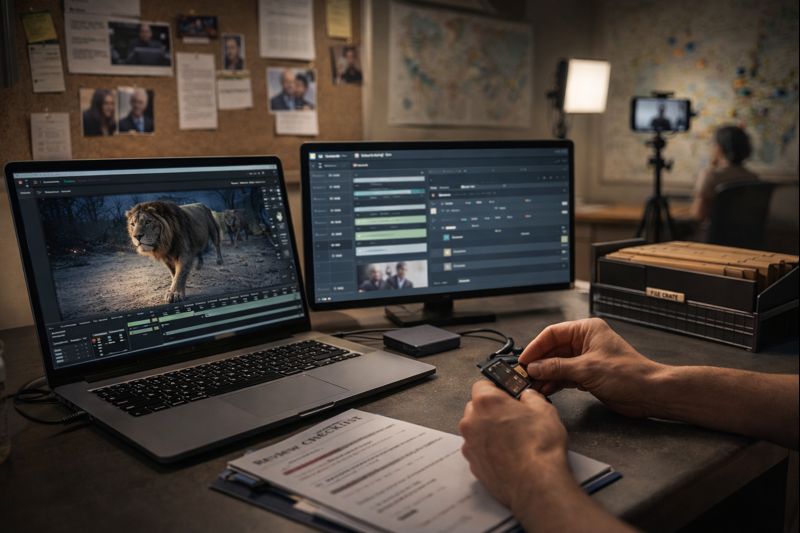
This GDPR video workflow for NGOs is designed to keep file handover, feedback, and approvals calm, traceable, and safe.
Most teams do not have a content problem. They have a handover problem.
In many NGOs and small teams, video projects break down in the boring places. Raw footage arrives in five different links. Feedback lives in three chat threads. Approvals are implied instead of documented. And suddenly nobody can answer the simplest question: which cut is approved, and who had access to what?
If your videos include real people, you are almost always handling personal data. In the EU, GDPR is not something you add later. It is workflow design: access control, clear roles, minimal sharing, traceable decisions, and retention you can actually enforce.
The goal of a GDPR video workflow for NGOs is simple: one source of truth, controlled sharing, and decisions you can trace later.
Why this matters (especially for NGOs)
When your workflow is scattered, you do not just lose time. You increase risk. Wrong links get forwarded. Downloads happen outside your control. “Final” becomes a feeling instead of a decision. Sensitive footage circulates without a clear purpose or deletion plan.
This post is a practical blueprint for calm file handover, time-coded feedback, explicit approvals, and a clean project exit. It is written for NGOs and remote teams first, and it also fits creators and digital nomads who edit from changing locations and unreliable internet.
If you are building a repeatable process, this GDPR video workflow for NGOs reduces version chaos, uncontrolled sharing, and approval ambiguity. If your team keeps bouncing between drives, messengers, and review tools, you are not alone. I wrote a dedicated piece on why this happens and how it drains projects: Your SaaS zoo is eating your time.
What makes NGO video workflows different
Video is data-dense. A single shot can contain faces, voices, names, locations, routines, and context that can put people at risk. In NGO work, the sensitive part is often not the moment you intended to capture. It is the background detail you notice too late.
A calm workflow is not bureaucracy for its own sake. It is a safety layer that also saves time.
Controller vs. processor (one quick clarification)
In many NGO communication projects, the NGO is the controller. It decides why the footage is processed and what it is used for. The editor or production partner is often the processor, working on the controller’s behalf. In your own films, where you decide purpose and publication, you are typically the controller.
Practical takeaway: you do not need a legal seminar to run a safer workflow. You do need one decision: who owns final approval, and who owns retention and deletion.
The GDPR Video Workflow for NGOs in Six Stages
Below is the GDPR video workflow for NGOs I use to keep projects fast, reviewable, and defensible under real-world pressure:
1) Choose one project home and treat it as the source of truth
A calm workflow begins with one rule: there is one project home. Everything enters there. Reviews happen from there. Final exports live there. If the team is unsure where truth lives, the workflow is already failing.
Keep it consistent. A structure that holds up under real work: Admin and decisions, raw uploads, review exports, project files, final exports, and archive (with a deletion date).
2) Replace “dump and pray” handover with a five-minute intake
When footage arrives without context, editors guess. Guessing creates revisions. In NGO work it can also create privacy mistakes. A calm intake asks for three lightweight inputs: a minimal naming pattern, a one-page context note (goal, audience, must include, must avoid), and a short privacy flags list (blur requirements, minors, sensitive locations, anything that must not be used).
3) Review with review exports, not raw originals
Raw footage is heavy, slow to share, and easy to leak. Review exports are small files designed for collaboration. They stream on weak Wi-Fi. They can include timecode for precise notes. They reduce uncontrolled copying. For traveling editors and field teams, this is the difference between losing hours to uploads and keeping momentum.
4) Make feedback time-coded and single-channel
Feedback scattered across chat apps, email, and direct messages is not fast. It is fragmented. Pick one feedback surface and enforce one format: time-coded notes (mm:ss) with a simple priority tag (Must, Should, Nice). That turns feedback into something that can be executed reliably.
5) Make approvals explicit and give “final” a real meaning
“Looks good” is not an approval process. Name one approver per project and define one approval phrase like “APPROVED v3”. For higher-risk NGO content, add a second explicit line: “Privacy check completed” (blur list verified, minors cleared, sensitive locations handled).
6) Decide retention and deletion upfront
Most teams keep raw footage forever because deciding feels uncomfortable. The result is worse: an expanding archive of risk. Write down a retention window at kickoff. Keep raw material until delivery plus a short fix window. Archive what you genuinely need. Delete the rest on schedule, especially for sensitive projects.
A realistic seven-day NGO example
Day 1 (Field upload): a volunteer uploads footage into the project home. They can upload, but they cannot browse unrelated folders. A short context note is added. One interview is flagged “do not use” until consent is confirmed.
Day 2 (Rough structure): the editor builds a rough cut for structure, not polish. A small review export is uploaded with timecode.
Day 3 (Time-coded feedback): program lead checks factual accuracy. Comms checks tone. Notes arrive in one place, time-coded, with priorities. No scavenger hunt across messages.
Day 4 (v2 plus privacy pass): changes are applied. Required blurs are done. A background shot revealing a sensitive location is removed. v2 goes up as a review export.
Day 5 (Approval): the nominated approver writes “APPROVED v2” and confirms the privacy check. Masters and platform versions are exported into the Finals area.
Day 6 (Archive): finals, subtitle files, and the approvals record are stored in Archive. Raw remains available only for the defined fix window.
Day 7 (Retention scheduled): deletion reminders are set. The project ends calmly, not with lingering uncertainty.
If you adopt just these basics, your GDPR video workflow for NGOs becomes repeatable across teams, countries, and changing staff.
A calm self-hosted stack (Nextcloud, Collabora, Baserow, n8n, mem0)
Self-hosting helps because it allows you to design around one home base instead of stitching together a tool zoo.
Nextcloud becomes the project home for files, access, and shares. Collabora keeps briefs, scripts, and approvals notes next to the footage. Baserow tracks interviews, consent status, sensitivity flags, and review states without spreadsheet chaos. n8n automates the boring parts: folder creation, review notifications, approval reminders, retention reminders, and basic audit notes. mem0 stores repeatable house rules: naming conventions, blur guidelines, an NGO risk checklist, and onboarding steps for new volunteers.
The point is not more tools. The point is a system where each tool has one job, and the project still has one home.
Red lines (when NGOs should slow down or change the plan)
Some footage is higher risk by default. In these cases, tighten access, review more carefully, and consider excluding material instead of fixing it later.
- Vulnerable beneficiaries whose identification could cause harm
- Minors without clear clearance or a documented plan
- Sensitive locations such as shelters, safe houses, clinics, or border contexts
- Context that could reveal legal, health, or protection status
DPIA note
If a project is likely to create high risk for people’s rights and freedoms, the organisation should consider whether a Data Protection Impact Assessment (DPIA) is required as part of internal governance before publication. If you implement this GDPR video workflow for NGOs, you can prove decisions, reduce risk, and keep delivery fast.
Disclaimer
This post shares practical workflow patterns for a GDPR video workflow for NGOs. It is not legal advice. If your footage involves minors, vulnerable people, shelters, medical contexts, or protection-sensitive locations, coordinate with your DPO or legal counsel and document your decisions.
The Calm Ruleset
One project home. Review exports for collaboration. Time-coded feedback in one place.
One explicit approval moment. Retention and deletion decided upfront.
If you cannot explain who had access to what and why, the workflow is not calm yet.
Want this implemented for your team?
If your NGO or remote team wants a GDPR video workflow for NGOs that people actually follow in real life, I can help you set up the structure (one source of truth), review exports, time-coded feedback, approvals, and retention, using a privacy-first stack like Nextcloud, Collabora, Baserow, and n8n. If you want to talk through your current workflow, email me at info@nomadicfilmworks.com.
Sources and further reading
- Official EU law (primary source): GDPR (Regulation (EU) 2016/679) on EUR-Lex: eur-lex.europa.eu
- EDPB Guidelines 07/2020 on controller and processor concepts: edpb.europa.eu (PDF: download)
- Readable, unofficial article view (optional): GDPR-Info, Article 35 (DPIA): gdpr-info.eu
Note: EUR-Lex is the official EU text. GDPR-Info is a convenience site for readability and should be treated as secondary.